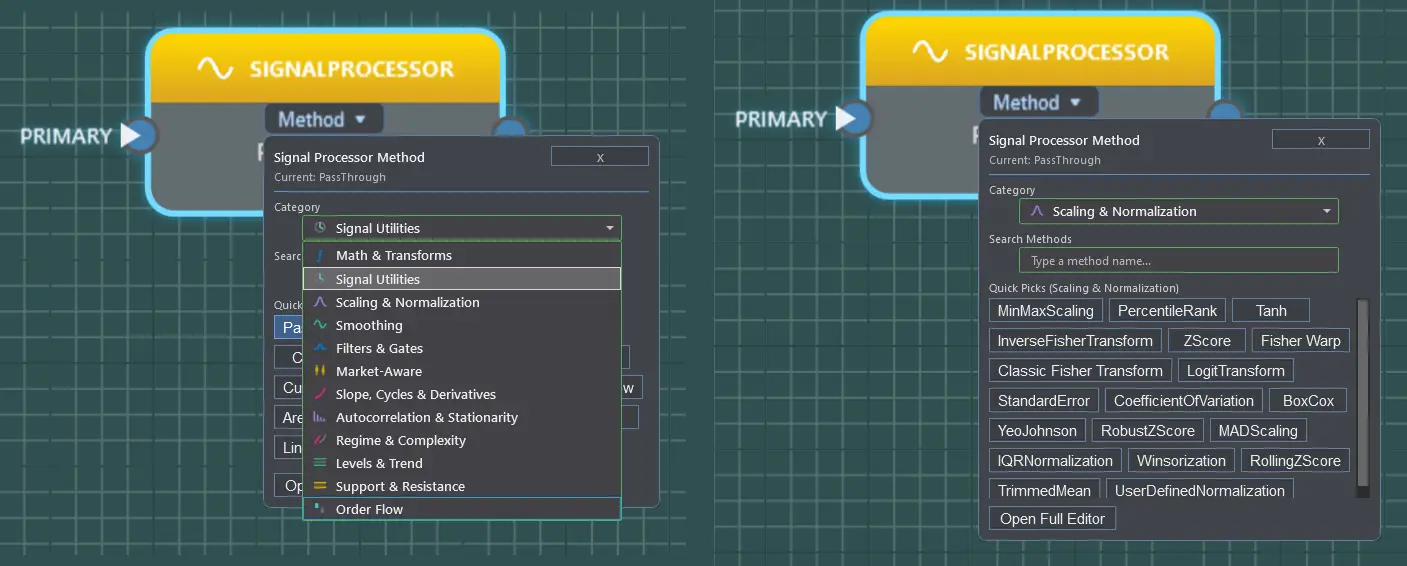
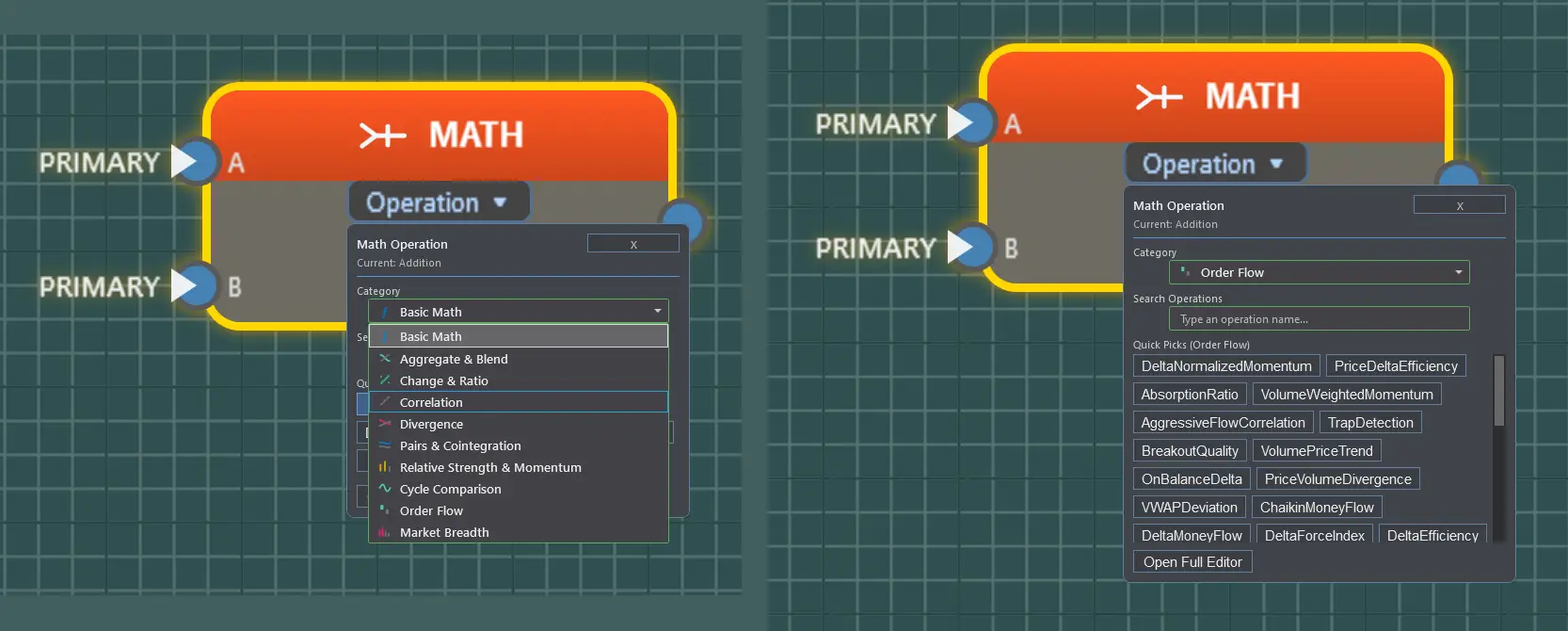
Every operation that ships in Fusion Builder V1.0 — by name. Core operations require no add-ons; Order Flow+ sections are labeled and require NinjaTrader® Order Flow+ access.
425+ Core Operations. 500+ Total with Order Flow+.
Operation names only — full parameter documentation for every operation ships inside Fusion Builder’s built-in Information tab.
Boolean tests over any numeric stream — thresholds, crossovers, structure, momentum shape, and confirmation logic.
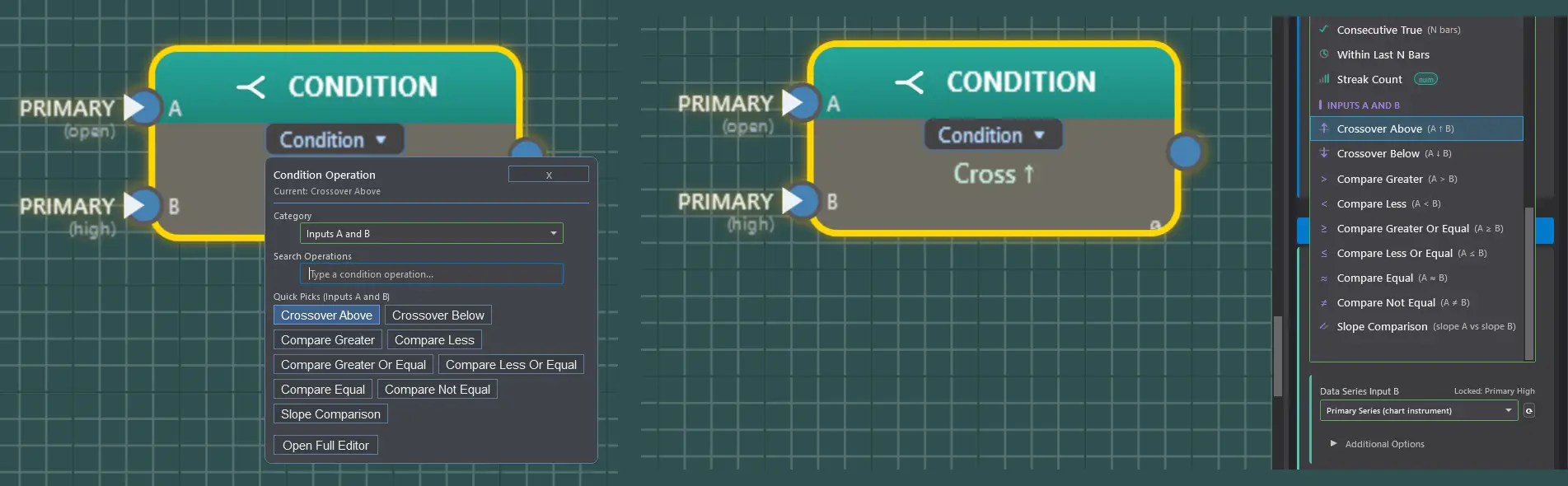
The Condition block operation picker — quick picks on the canvas, and the full operation list with comparison notation (A ↑ B, A > B, slope A vs slope B) in the properties panel.
Threshold AboveThreshold BelowThreshold EqualThreshold At Or AboveThreshold At Or BelowCrossover AboveCrossover BelowZero Cross UpZero Cross DownIs Above ZeroIs Below ZeroCompare GreaterCompare LessCompare EqualCompare Not EqualCompare Greater Or EqualCompare Less Or EqualIn RangeOutside RangeSlope PositiveSlope NegativeSlope ZeroSlope ComparisonSlope AcceleratingSlope DeceleratingTurning UpTurning DownHigher HighLower LowHigher LowLower HighConsecutive UpConsecutive DownConsecutive TrueWithin Last N BarsStreak CountDeceleration DetectedJerk Spike UpJerk Spike DownBars To TurnCurvature ConvergenceAcceleration Flip UpAcceleration Flip DownVelocity Zero Cross UpVelocity Zero Cross DownPhase Quadrant EntryInflection ConfirmedRe-AccelerationMomentum SurgeV-ReversalDivergenceExhaustionInflection ScoreConsensus VoteSequential Confirm
Gate Operations 33
Route, combine, latch, time, and filter signals — the wiring logic between conditions and outputs.
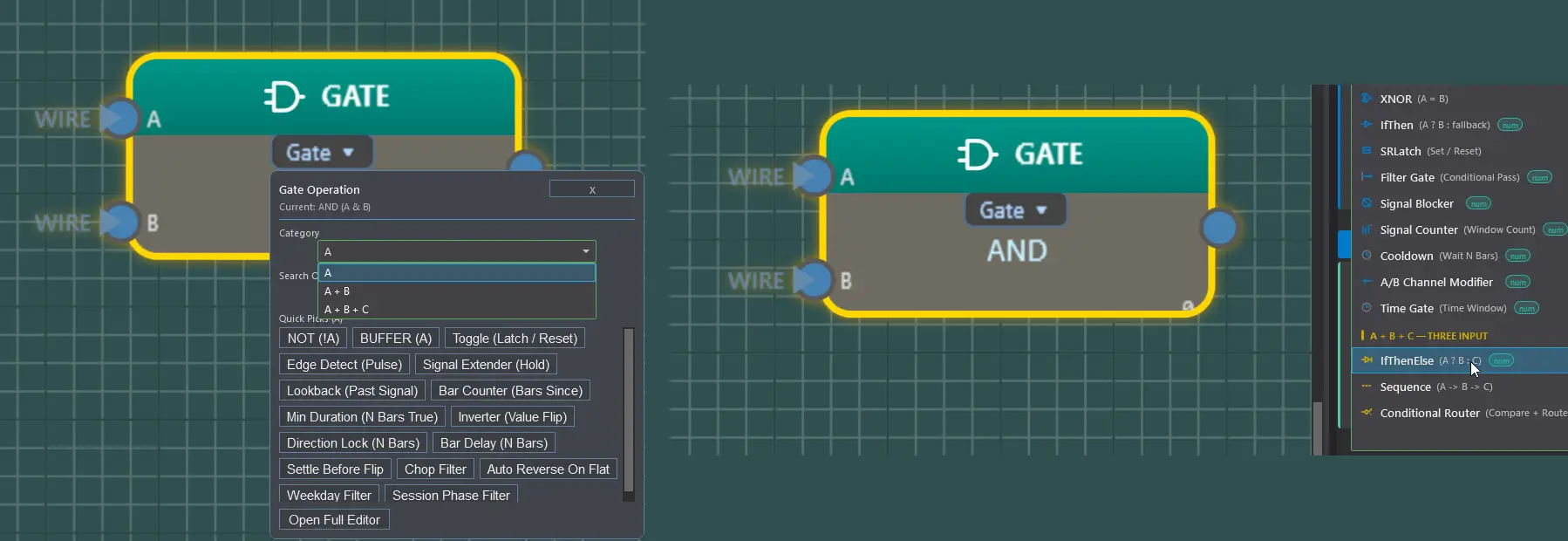
The Gate block operation picker — grouped by input count (A, A + B, A + B + C), with logic notation in the properties panel (A & B, A ⊕ B, A ? B : C). Operations tagged with a green num badge pass numeric values through instead of returning a boolean — an IfThen can route a price or an indicator value, not just true/false.
ANDORNANDNORXORXNORNOTBUFFERIfThenIfThenElseSRLatchToggleEdgeDetectFilterGateSignalBlockerSignalExtenderSignalCounterLookbackCooldownBarCounterMinDurationA/B Channel ModifierInverterTimeGateSequenceConditionalGateDirection LockBar DelaySettle Before FlipChop FilterAuto Reverse On FlatWeekday FilterSession Phase Filter
Strategy Conditions 50
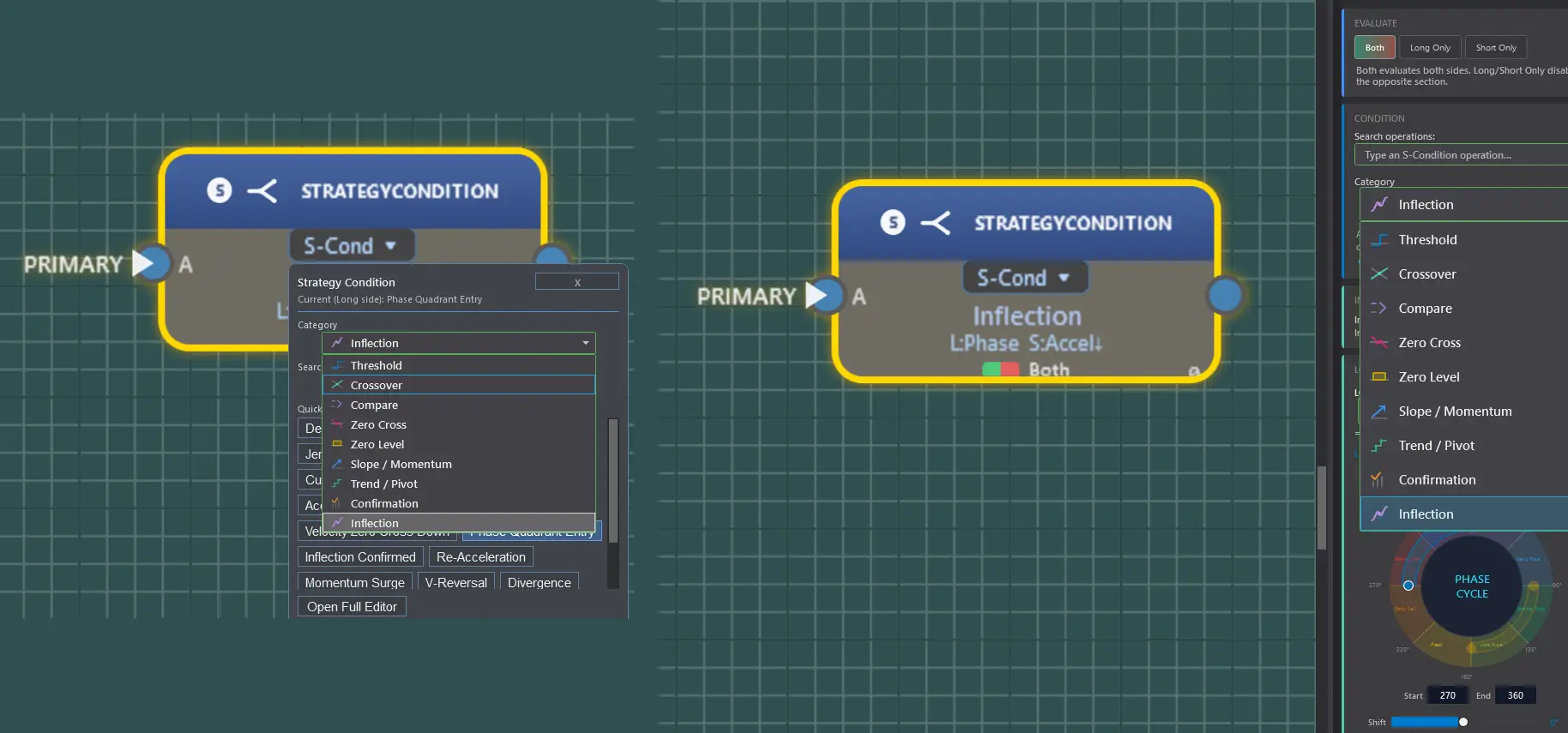
Directional versions of the condition library — each evaluates Long and Short independently and emits a +1 / −1 / 0 signal for strategy execution.
The Strategy Condition picker — nine operation categories with independent Long and Short sides. Shown: a dual-side Inflection setup (L:Phase, S:Accel↓), the Both / Long Only / Short Only evaluate toggle, and the Phase Cycle wheel.
Crossover AboveCrossover BelowThreshold AboveThreshold BelowThreshold At Or AboveThreshold At Or BelowThreshold EqualZero Cross UpZero Cross DownCompare GreaterCompare LessCompare EqualSlope PositiveSlope NegativeSlope ZeroTurning UpTurning DownIn RangeOutside RangeConsecutive UpConsecutive DownConsecutive TrueIs Above ZeroIs Below ZeroHigher HighLower LowHigher LowLower HighSlope ComparisonWithin Last N BarsStreak CountDeceleration DetectedJerk Spike UpJerk Spike DownBars To TurnCurvature ConvergenceAcceleration Flip UpAcceleration Flip DownVelocity Zero Cross UpVelocity Zero Cross DownPhase Quadrant EntryInflection ConfirmedRe-AccelerationMomentum SurgeV-ReversalDivergenceExhaustionInflection ScoreConsensus VoteSequential Confirm
Strategy Gates & Strategy Signal Processors 34 shared
Sign-preserving logic for the directional signal domain — shared by the S-Gate and S-Proc block roles.
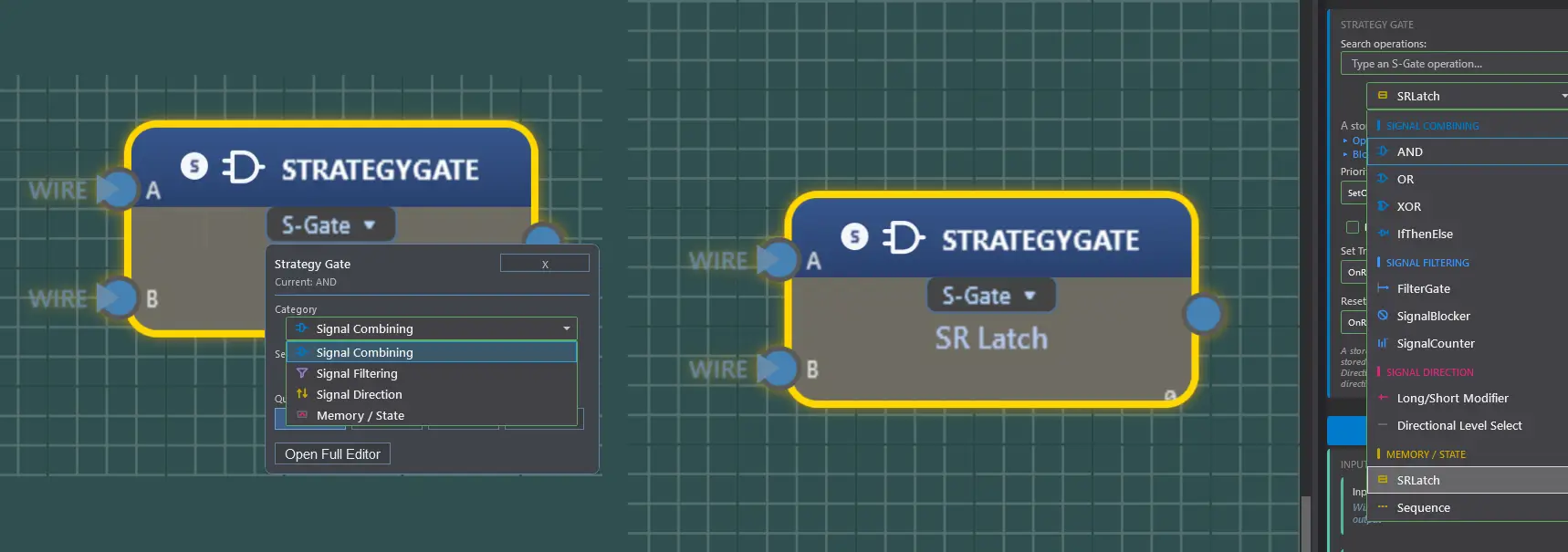
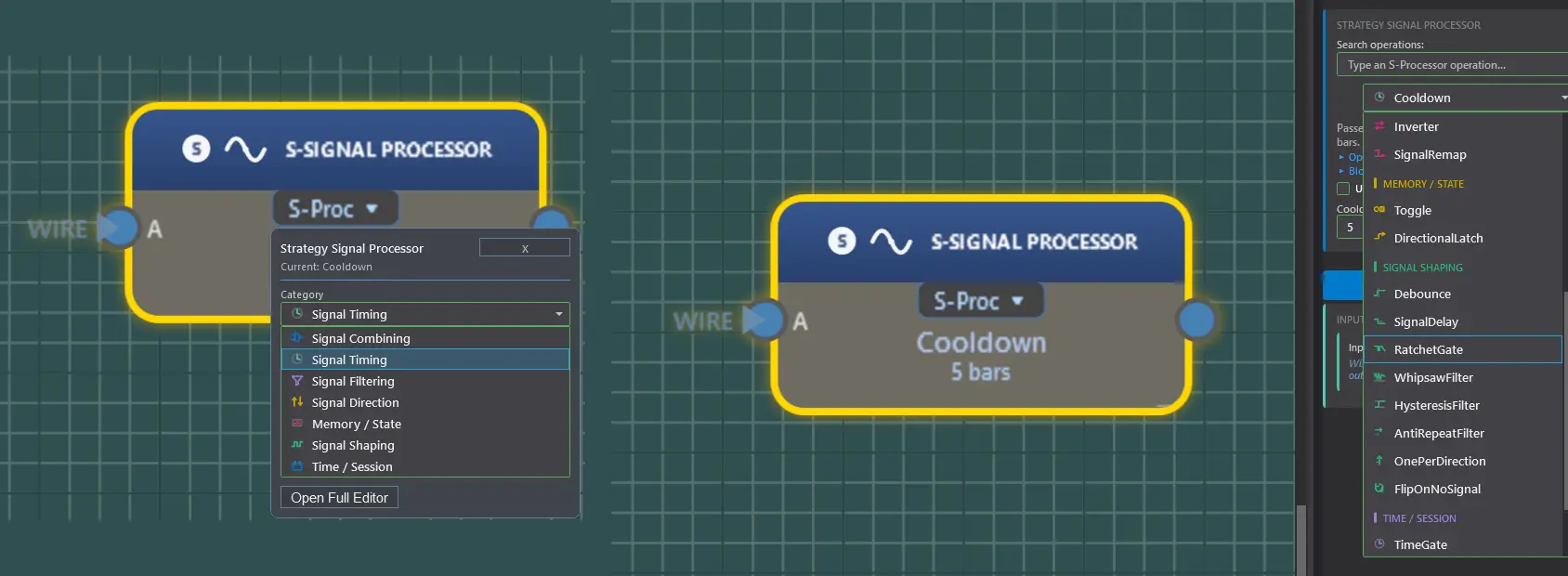
The Strategy Gate picker — direction-preserving gates grouped by role: Signal Combining, Signal Filtering, Signal Direction, and Memory / State. Shown: an SR Latch configured on the block.The Strategy Signal Processor picker — single-signal shaping across seven categories (timing, filtering, direction, memory, shaping, time/session). Shown: a Cooldown of 5 bars configured on the block.
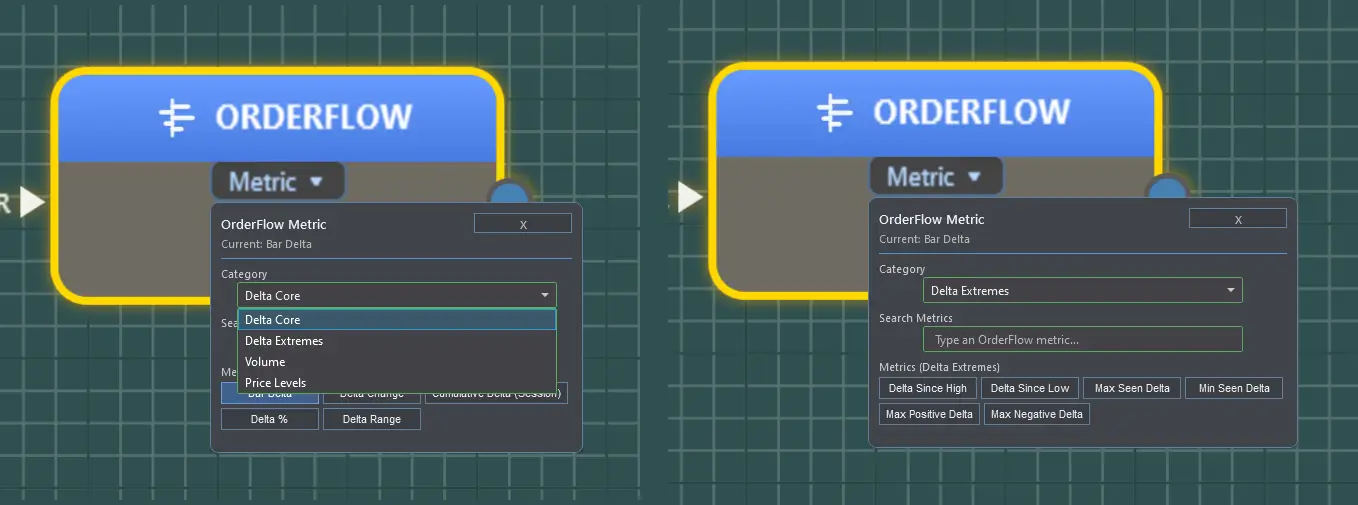
Order Flow+ sections (amber) require NinjaTrader® Order Flow+ access. Order Flow+ is a feature of the NinjaTrader® platform and is not included with Fusion. Raw Order Flow+ metrics are data inputs, not operations.
Beyond the operation library
Block types with capabilities that are not simple operation lists.
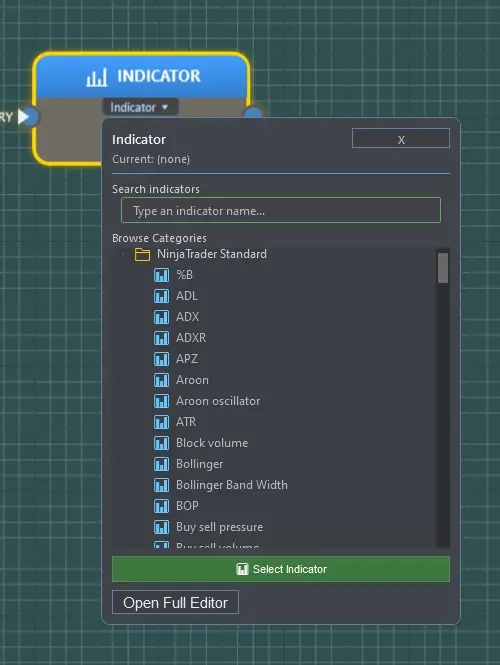
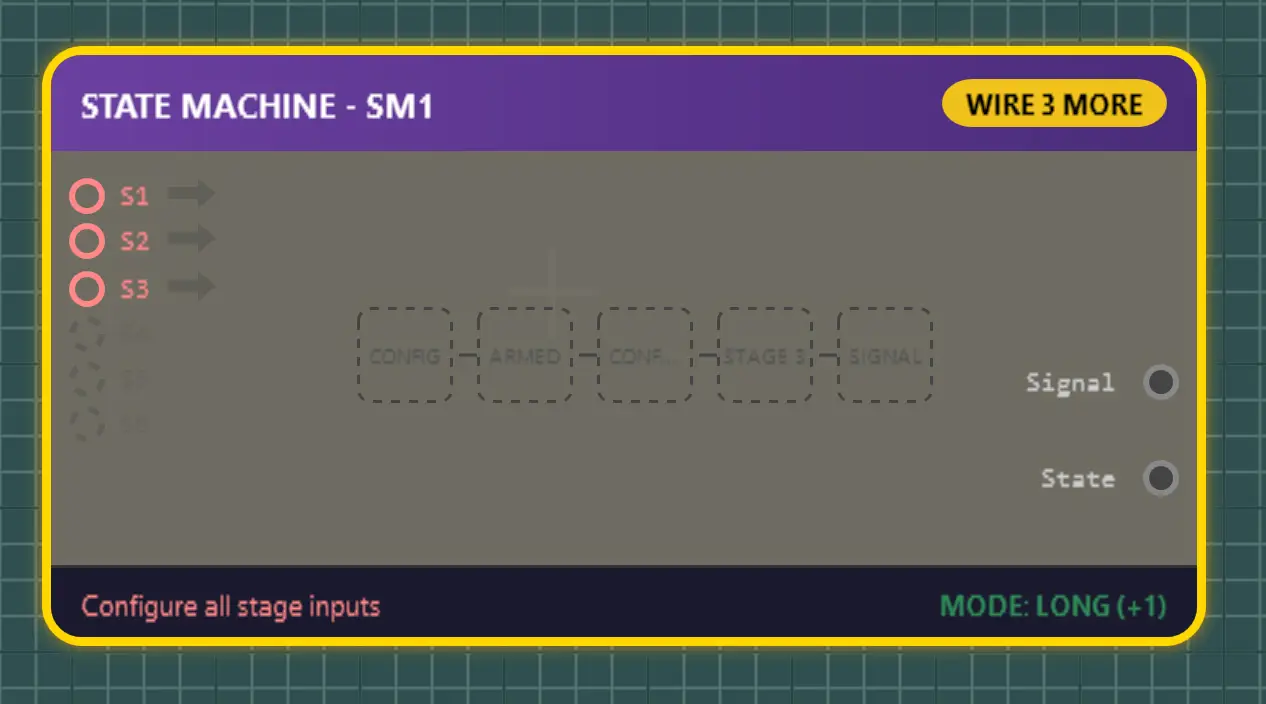
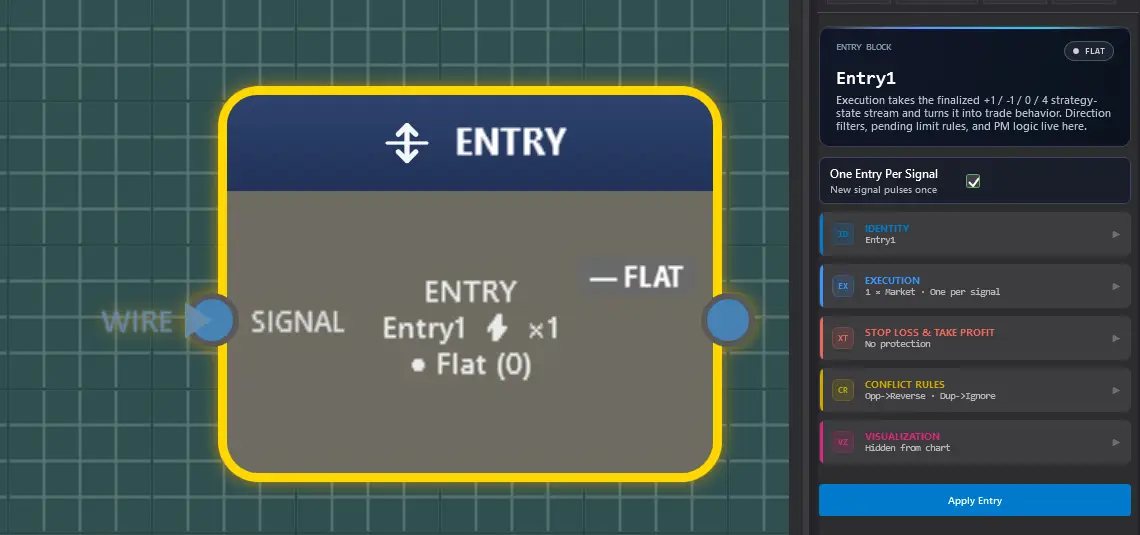
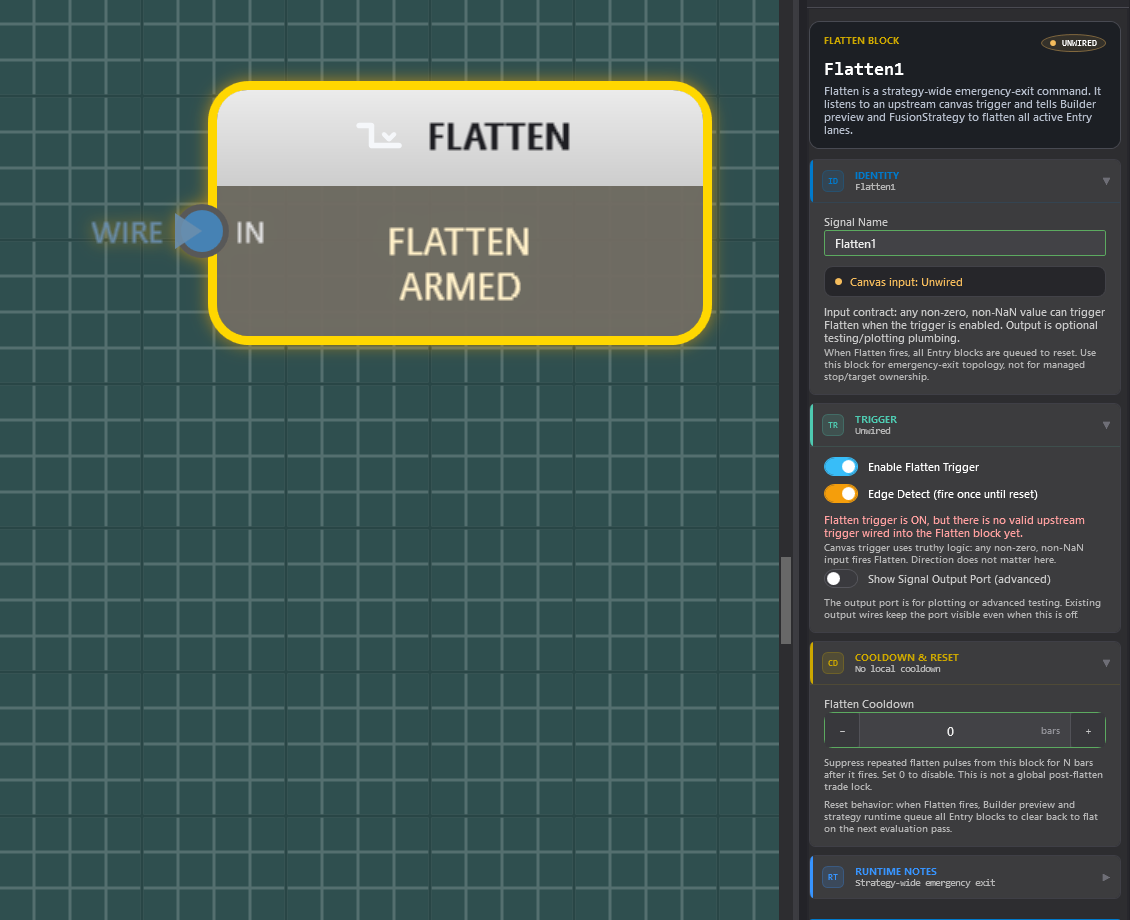
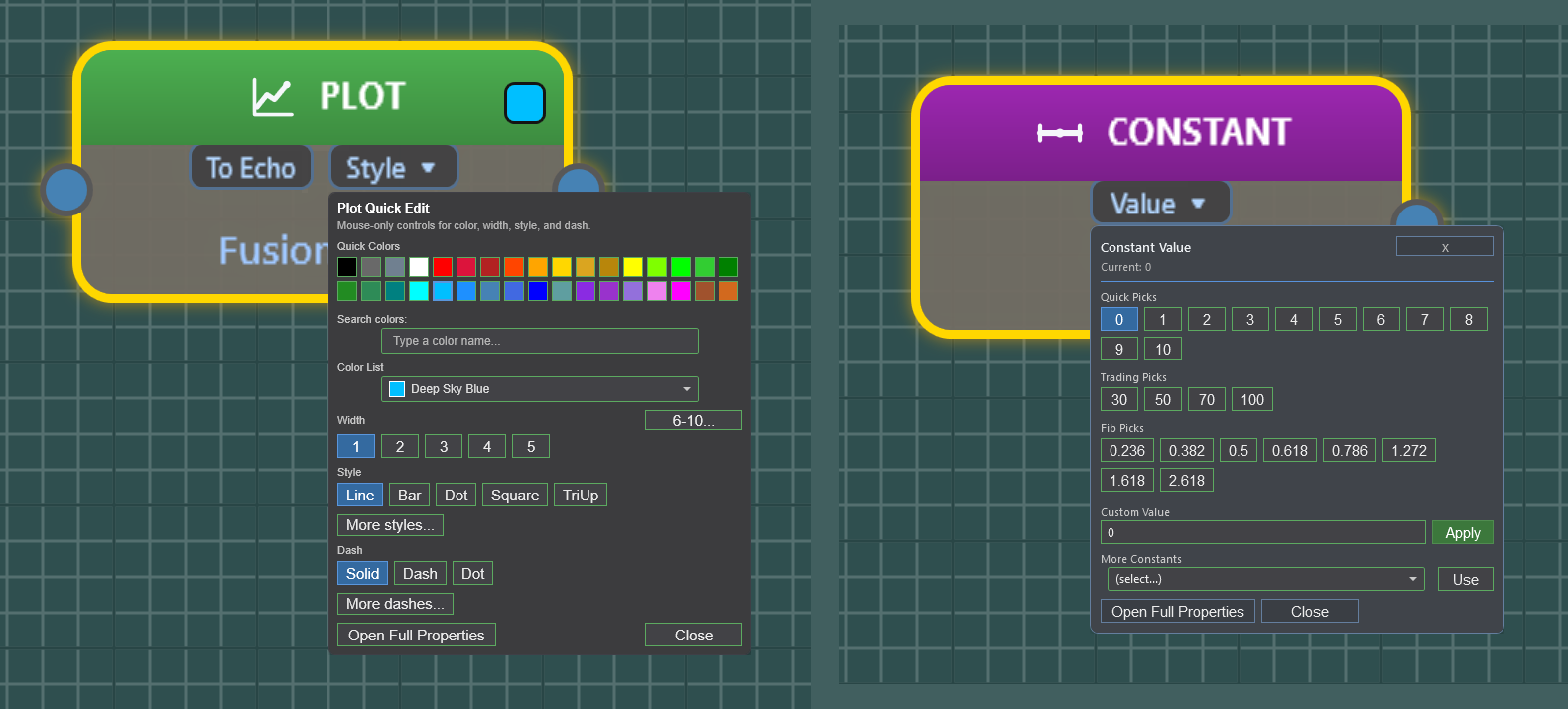
The Indicator block — browse and host standard NinjaTrader® built-in indicators with per-block series assignment. Third-party and custom indicator support is planned.The State Machine block — up to six wired stages advance through the pipeline, with Signal and State outputs and a directional mode (shown: LONG +1).The Entry block — a live position readout on the block face, with identity, execution, stop loss / take profit, conflict rules, and visualization grouped in the panel.The Flatten block has one job: a strategy-wide emergency flatten fired by any canvas condition you define through pipeline math — like a global version of an Entry block’s external exit trigger. Day-to-day flatten and risk rules live in the Strategy & Risk tab, Entry-owned exits, and the Fusion Risk Engine; this block is the emergency cord.The Plot block — the pipeline’s visual probe: wire one anywhere to chart that point’s values, with color, width, style, dash, and Echo routing in one quick editor. Wired plots are what travel into your Template Key. Beside it, the Constant block feeds any input a fixed value — quick picks include the Fibonacci levels.
Indicator Blocks
Host standard NinjaTrader® built-in indicators that output plotted values (V1.0), with per-block series assignment for multi-instrument and multi-timeframe designs. Third-party and custom indicator support is planned.
State Machine
Multi-stage sequencer with 2–6 configurable stages, per-stage triggers, timeouts, and auto-reset. Boolean pulse or directional output; every stage is routable to plots.
Entry / Exit / Flatten
Directional entries with unique signal names, one-entry-per-signal control, entry-owned take profit plus fixed or trailing stop (ticks, ATR, percent, dollars, points, or price), external exit triggers, and emergency flatten.
Strategy & Risk Rules
Daily loss and profit limits, per-trade loss, drawdown, trade-count guardrails, daily watermark, trading windows, session-end flatten, and cooldowns — configured per strategy.
AI Studio / ONNX Blocks
Bring machine-learning model outputs into NinjaTrader® 8 as usable Fusion blocks. Train locally with the included Fusion ML Trainer, load an ONNX model into Fusion Builder, then plot, combine, filter, gate, or ignore the model output like any other numeric value.
Machine-learning outputs are not trading advice or guaranteed signals; every model should be reviewed, backtested, and tested in simulation before live use.
Ready to wire them together?
Every operation here is a drag-and-drop block on the Fusion Builder canvas.
NinjaTrader® is a registered trademark of NinjaTrader Group, LLC. Fusion Indicators LLC is an independent software vendor and is not affiliated with, endorsed by, or sponsored by NinjaTrader.
To provide the best experiences, we use technologies like cookies to store and/or access device information. Consenting to these technologies will allow us to process data such as browsing behavior or unique IDs on this site. Not consenting or withdrawing consent, may adversely affect certain features and functions.
Functional
Always active
The technical storage or access is strictly necessary for the legitimate purpose of enabling the use of a specific service explicitly requested by the subscriber or user, or for the sole purpose of carrying out the transmission of a communication over an electronic communications network.
Preferences
The technical storage or access is necessary for the legitimate purpose of storing preferences that are not requested by the subscriber or user.
Statistics
The technical storage or access that is used exclusively for statistical purposes.The technical storage or access that is used exclusively for anonymous statistical purposes. Without a subpoena, voluntary compliance on the part of your Internet Service Provider, or additional records from a third party, information stored or retrieved for this purpose alone cannot usually be used to identify you.
Marketing
The technical storage or access is required to create user profiles to send advertising, or to track the user on a website or across several websites for similar marketing purposes.