Component 03
Fusion Echo
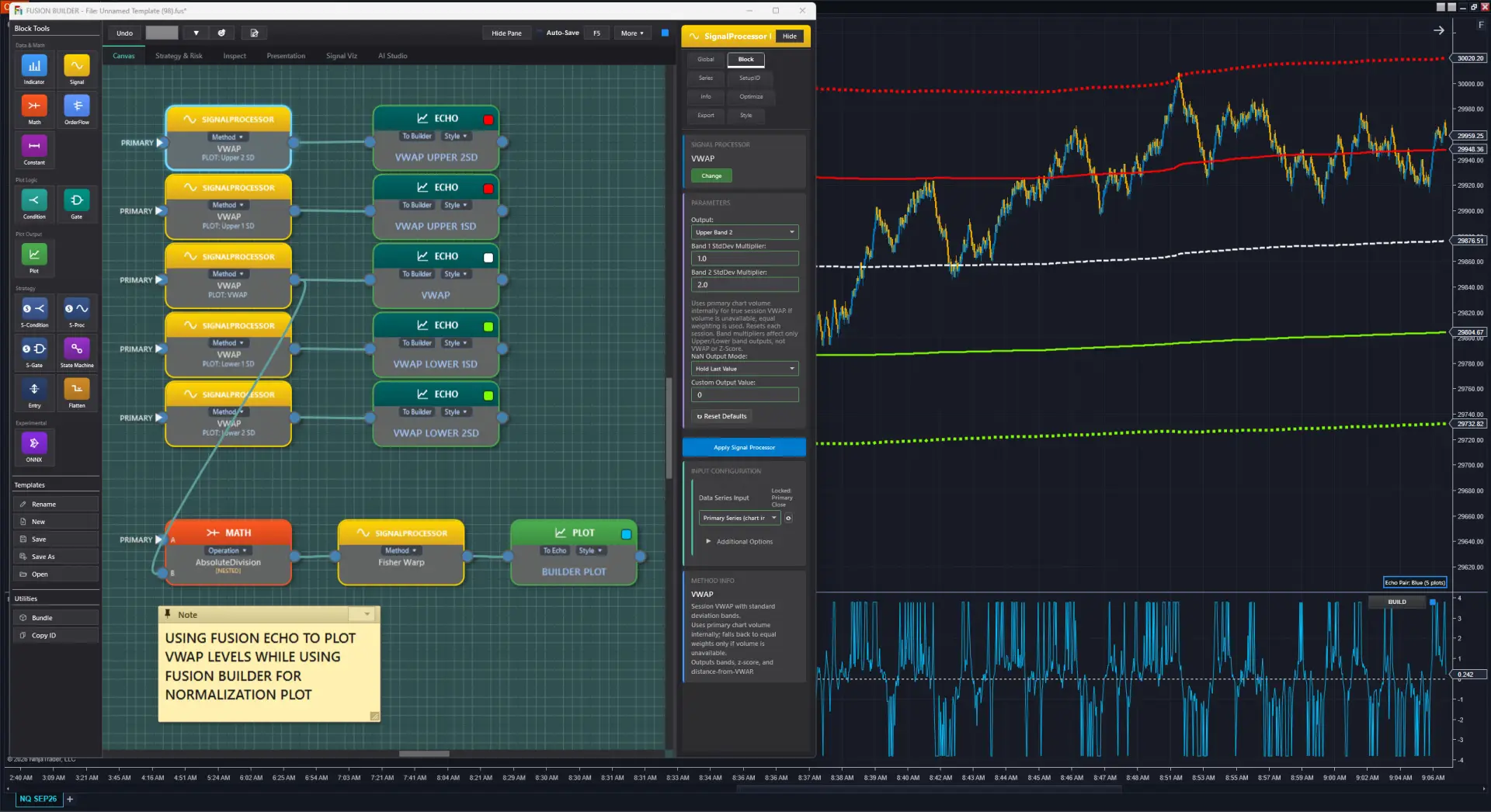
Plot your indicator on the price chart and in a separate panel at the same time — within the same chart window. Price-scale synchronized so you see exactly how your indicator relates to price.
⚠️ Important: How Echo Works
Echo does NOT plot on a different chart window. It renders the same indicator simultaneously on the price chart overlay AND a panel — both within the same chart.
What Makes Echo Powerful
Price-Scale Synchronization
When Echo renders on the price chart, your indicator values share the price scale, so you see the relationship between your output and actual price levels directly. Your panel stays free for normalized or otherwise-scaled values at the same time, without cluttering either view.
Color-Hash Pairing
Run multiple Fusion Builder + Echo pairs on the same chart. Each Builder instance and its paired Echo share a color-hash for instant visual identification. No confusion about which output belongs to which design.
Multi-Instance
Add multiple Builder + Echo pairs to the same chart. Each pair operates independently with its own SetupID, its own color pair, and its own display settings. Layer as many as you need.
Panel Flexibility
Choose to use Echo in any indicator panel — not just the price chart. You can put the Echo overlay in a separate indicator panel instead of on the price chart if that better suits your workflow.
Builder Integration
The Fusion System Control Center in Builder shows live Echo pairing status. If no Echo is found on the chart with a matching pair color, Builder displays a warning so you can quickly identify the configuration.